
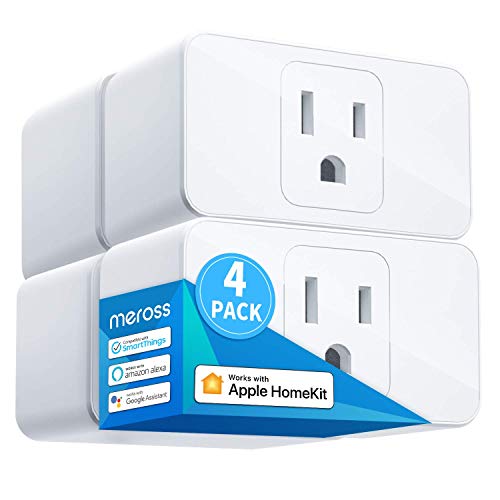


meross Smart Plug 15A, Works with Apple HomeKit, Voice & APP Control 4 Pack
$35.99
Remote Control: To enable HomeKit remote control, you need a HomePod, an Apple TV 4K, Apple TV HD, or an iPad. Set any of these Apple devices in your house as a HomeKit bridge and connect it to your home 2.4GHz Wi-Fi network. Keep in mind that once your HomeKit bridge is set up, it has to be kept online. If it is powered off or disconnected from the Wi-Fi, it will fail to respond when you intend to control the device remotely.
Voice Control: You can control your devices hands free, just give voice commands to turn on/off the connected devices. Compatible with Apple HomeKit, Apple Watch, Siri, Carplay, Amazon Alexa, Google Assistant.
Compact Size: Smart plug occupies only one socket, the device allows you to stack two mini smart plugs in the same outlet, which is convenient and practical.
Why we picked this
Product Details
[gallery] Remote Control: To enable HomeKit remote control, you need a HomePod, an Apple TV 4K, Apple TV HD, or an iPad. Set any of these Apple devices in your house as a HomeKit bridge and connect it to your home 2.4GHz Wi-Fi network. Keep in mind that once your HomeKit bridge is set up, it has to be kept online. If it is powered off or disconnected from the Wi-Fi, it will fail to respond when you intend to control the device remotely. Voice Control: You can control your devices hands free, just give voice commands to turn on/off the connected devices. Compatible with Apple HomeKit, Apple Watch, Siri, Carplay, Amazon Alexa, Google Assistant. Compact Size: Smart plug occupies only one socket...
Pros & Cons
- Voice Control: You can control your devices hands free, just give voi
- Compatible with Apple HomeKit, Apple Watch, Siri, Carplay, Amazon Alexa, Google Assistant
- Compact Size: Smart plug occupies only one socket
- Part of our Smart Home range
- Price and availability can change
- Check size, colour or compatibility before buying
- Photos may differ slightly from the real product
Related Products

Philips Hue Essential Smart LED A19 Bulb, 4-Pack

Govee Smart Light Bulbs, A19 LED Light Bulb, 800 Lumen, 8 Pack

Govee Smart Recessed Lighting 6 Inch, LED Recessed Light 1100LM, 4 Pack


Govee Smart Light Bulbs, A19 Color Changing Light Bulb, 800 LM, E26 Base

$35.99